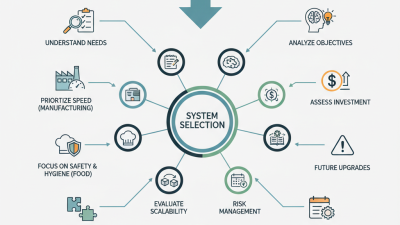
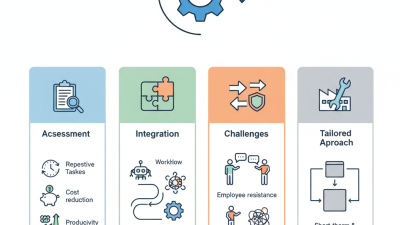
Choosing automation solutions in 2026 requires more than comparing feature lists or chasing impressive demonstrations. Businesses must examine how each platform performs in real working conditions. A warehouse team may need reliable barcode processing, while a hospital department may prioritize accuracy, privacy, and clear human oversight. The right choice depends on measurable needs, not fashionable technology.
Strong evaluation begins with practical evidence. Review vendor documentation, independent testing, customer references, and service-level commitments. Ask how the system handles incomplete data, changing workflows, and unexpected failures. A short pilot can reveal hidden costs, such as integration delays, employee training, or manual corrections. Track results carefully. Measure processing time, error rates, operating costs, and user adoption before making a wider commitment.
No solution is perfect. That matters. Even advanced automation solutions can produce errors when inputs are unclear or business rules change. Teams should define escalation procedures and retain meaningful human review. Security controls, data ownership, accessibility, and regulatory responsibilities also deserve close attention. A cheaper system may become expensive when support is weak or migration is difficult. We may still misjudge long-term value. Therefore, decision-makers should revisit performance every quarter and adjust their strategy as technology, customer expectations, and organizational needs evolve. The best investment is not always the most advanced platform. It is the one that remains dependable, explainable, and useful after the launch excitement fades.

Before choosing an automation solution in 2026, define the business problem clearly. Do not automate a confusing process. Map each step from the first customer request to the final record update. Note delays, repeated data entry, approval points, and error rates. A simple workflow diagram often reveals more than a long software comparison.
Set measurable goals. For example, reduce invoice processing from three days to four hours. Lower manual errors below two percent. Improve response time without increasing staff workload. Identify who owns each result. Include finance, operations, security, and the employees using the process daily. Their practical experience may expose risks that managers cannot see.
Requirements should cover integration, data access, permissions, reporting, and future changes. Check whether the solution can connect with existing systems through secure, documented methods. Ask how activity logs are stored and reviewed. Protect personal and financial information throughout the workflow. Pilot one narrow process before expanding. Small tests are safer.
A useful pilot needs a baseline, a deadline, and clear failure conditions. If staff create workarounds, investigate why. The system may be technically successful but operationally poor. I have seen teams measure speed while ignoring approval quality. That mistake can become expensive. Review the results with users, revise the requirements, and only then compare automation options.
Automation should begin with process evidence, not enthusiasm. Map each step from request to completion, including emails, spreadsheets, approvals, and handoffs. Record volumes, processing times, error rates, and exception patterns for several weeks. A process repeated daily, with stable rules and digital inputs, usually offers stronger potential. Yet high volume alone proves little. A fast, unreliable process may only create faster mistakes.
Readiness depends on more than software access. Check whether process owners agree on the desired outcome and decision rules. Confirm that data is accurate, structured, permissioned, and available where work occurs. Identify sensitive information, retention duties, audit needs, and human approval points before selecting a solution. Define measurable targets, such as reducing invoice handling from two days to four hours while preserving review quality. Someone must own the result.
Small tests reveal uncomfortable truths. Run a limited pilot with real cases, including missing fields and unusual requests. Measure rework, failed handoffs, user effort, and exception volume. A pilot may expose unclear policies rather than a technology problem. That is useful evidence. Keep a manual fallback until performance is consistent and staff can challenge questionable outputs. Reassess after changes in regulations, data sources, or customer demand. Automation readiness is a moving condition, not a permanent label.
Choosing automation in 2026 requires more than comparing feature lists. The right technology should match the work, data, and people involved. Robotic process automation suits stable, repetitive screen tasks. Workflow platforms handle approvals, routing, and audit trails. API-based automation usually offers stronger speed and reliability between modern systems. Low-code tools can help business teams build quickly, but governance must remain clear.
Compare vendors through practical evidence, not polished demonstrations. Ask for uptime records, security controls, support response times, and migration terms. Request a small pilot using real documents and realistic error cases. My first shortlist once favored the cheapest license. That choice created hidden costs through maintenance and training. I would now score implementation effort as carefully as subscription price.
Integration options often decide whether automation survives beyond the pilot. Native connectors are convenient, while custom APIs provide greater control. Middleware can bridge older software, but it adds another system to monitor. Check data formats, authentication methods, rate limits, and failure recovery. Test what happens when a file is missing or a server stops responding. Keep a human review step for sensitive decisions. Perfect automation is rarely necessary. Reliable automation is.
| Automation Technology | Best-Fit Use Cases | Typical Integration Options | Deployment Models | Main Strengths | Common Limitations | Typical Initial Delivery Time | Vendor Evaluation Priorities | Best Strategic Role |
|---|---|---|---|---|---|---|---|---|
| Robotic Process Automation | Rule-based, repetitive tasks across web, desktop, and legacy applications | User-interface automation, desktop connectors, file exchange, basic APIs | Cloud, on-premises, or hybrid | Fast deployment; useful when modern APIs are unavailable; reduces manual data entry | Sensitive to screen and application changes; limited suitability for highly variable processes | 4–12 weeks for a well-defined process | Bot monitoring, exception handling, credential security, audit logs, change resilience | Tactical automation for stable, high-volume tasks |
| API-Led Integration | Real-time data exchange between applications, services, and digital channels | REST APIs, SOAP services, webhooks, message queues, event streams | Cloud, on-premises, or hybrid | Reusable interfaces; scalable data access; strong support for real-time processes | Requires API governance, technical skills, version control, and secure lifecycle management | 8–20 weeks depending on system complexity | API management, security controls, rate limiting, observability, documentation, reuse | Core integration foundation for connected enterprises |
| Integration Platform as a Service | Connecting cloud applications, databases, files, and business systems with less custom code | Prebuilt connectors, APIs, transformation maps, scheduled jobs, webhooks | Primarily cloud; some hybrid options | Shortens integration development; centralizes monitoring and reusable workflows | Connector coverage and subscription limits may affect architecture and cost | 4–16 weeks for standard integrations | Connector catalog, data residency, throughput limits, pricing transparency, support quality | Managed integration layer for mixed application environments |
| Workflow and Business Process Management | Approval chains, case management, service requests, compliance processes, and cross-team work | Forms, rules engines, APIs, task queues, identity services, notifications | Cloud, on-premises, or hybrid | Improves visibility, accountability, routing, and policy enforcement | Process design can become complex; requires clear ownership and governance | 6–16 weeks for a focused workflow | Case flexibility, process versioning, role management, reporting, accessibility, auditability | Standardized orchestration of human and automated work |
| Process Mining and Task Mining | Discovering process variations, bottlenecks, compliance gaps, and automation opportunities | Event logs, application telemetry, task recordings, data warehouses, analytical APIs | Cloud or private deployment, depending on data sensitivity | Uses operational evidence to prioritize improvement and estimate automation value | Requires reliable event data; privacy and data-quality issues can reduce accuracy | 6–14 weeks for an initial process analysis | Data connectors, privacy controls, conformance analysis, visualization, exportability | Evidence-based automation discovery and continuous improvement |
| Intelligent Document Processing | Invoices, forms, claims, applications, contracts, and semi-structured business documents | Optical character recognition, machine-learning extraction, validation rules, APIs, human review queues | Cloud, private cloud, or on-premises for sensitive workloads | Processes unstructured or variable documents and supports exception-based review | Accuracy varies by document quality, language, layout, and training data | 8–20 weeks for a controlled document type | Accuracy metrics, confidence thresholds, data retention, human-in-the-loop controls, model governance | Automated intake and data capture with controlled human oversight |
| Low-Code Application Automation | Departmental applications, portals, forms, simple case tools, and rapid prototypes | Visual connectors, APIs, databases, forms, identity providers, workflow components | Cloud, private cloud, or hybrid | Enables business teams and developers to deliver solutions quickly | Uncontrolled growth can create duplicated apps, inconsistent security, and technical debt | 3–12 weeks for a small application | Governance, environment management, extensibility, security, portability, lifecycle controls | Fast delivery of governed departmental solutions |
| Event-Driven Automation | Real-time alerts, IoT responses, order events, fraud signals, and operational triggers | Event brokers, queues, streaming platforms, webhooks, serverless functions | Cloud, on-premises, or hybrid | Low-latency response; decouples systems; supports high-volume event processing | Requires strong event design, observability, retry logic, and operational expertise | 10–24 weeks for production-grade event flows | Delivery guarantees, replay capability, schema governance, latency, monitoring, resilience | Responsive, scalable automation for time-sensitive operations |
How to Choose Automation Solutions in 2026?
Evaluate Security, Scalability, Costs, and Long-Term Value
Security should be tested before convenience. Ask how the system encrypts data during transfer and storage. Review access controls, audit logs, backup procedures, and incident response times. Request independent security reports, not only sales explanations. A polished demo can mislead. In my experience, weak permission settings create more risk than visible software defects. Test the solution with realistic user roles and sensitive sample data. Confirm whether it supports required privacy obligations in every operating region.
Scalability deserves practical evidence. Measure performance with growing workloads, additional users, and multiple process flows. Check whether integrations remain stable during traffic increases. A tool that handles ten tasks may struggle with ten thousand. Request load-test results when possible. Also examine maintenance requirements, system limits, and recovery procedures. I once underestimated the cost of manual monitoring because the initial workflow looked simple. That mistake was avoidable.
Costs should include implementation, training, support, upgrades, customization, and internal oversight. Calculate total ownership over three to five years. Low entry pricing can hide expensive dependencies. Long-term value depends on reliable performance and easy adaptation. Review documentation, administrator controls, and staff learning needs. Ask how data can be exported if priorities change. No platform is perfect. A careful pilot may reveal inconvenient weaknesses, but those findings are valuable. Choose the solution that remains understandable, secure, and financially realistic after the excitement fades.
Security and scalability should receive the greatest attention when evaluating automation solutions. Cost matters, but long-term value also depends on integration readiness, maintainability, governance, and the ability to expand across teams and workflows.
Choosing automation solutions in 2026 should begin with operational evidence, not impressive demonstrations. Map one workflow from request to completion. Record delays, error rates, approval steps, and manual handoffs. A small pilot often reveals more than a polished presentation. Define success using measurable targets, such as reducing processing time by 30 percent.
Implementation needs a named owner, a realistic schedule, and clear escalation rules. Governance should explain who can change workflows, review access, and approve sensitive decisions. Keep an audit trail for important actions. Store documentation where staff can find it quickly. That sounds basic. It is often neglected. Training should use real workplace examples, not generic screenshots. Let employees practice exception handling, because automation rarely manages every unusual case.
Continuous improvement depends on regular review. Compare performance data with employee feedback each month. Check whether the solution still supports current procedures. Remove unnecessary steps when evidence supports the change. Our first rollout would have benefited from involving frontline staff earlier. We focused too heavily on speed and missed several confusing handoffs. That mistake shaped later reviews. Teams should test small adjustments, document results, and pause when risks increase. Automation should remain understandable, measurable, and accountable.
© 2025 Tri-Phase | Privacy Policy | Purchase Terms & Conditions | Terms & Conditions