10 Tips for Enhancing Efficiency with Automation Technology?
In the rapidly evolving landscape of business, automation technology stands as a key driver for efficiency. According to a recent report from McKinsey, businesses that integrate automation into their operations can achieve a 30% increase in productivity within a few years. This remarkable potential has led industry experts to emphasize the importance of smart implementation methods. James O'Connell, a leading automation consultant, stated, "Effective automation technology can transform the way we work, but it must be approached thoughtfully."
While automation offers immense advantages, it is essential to recognize the pitfalls. Many companies struggle with unnecessary complexities that hinder workflow rather than enhance it. A study by PwC highlighted that 50% of organizations faced challenges in scaling their automation initiatives. This indicates a need for a clear strategy to maximize benefits.
Exploring the nuances of automation technology is crucial for businesses aiming for growth. Each implementation presents unique challenges, and a blanket approach often fails. By examining best practices and learning from both successes and failures, organizations can refine their automation strategies to drive efficiency. Balancing technology with human expertise is vital in this journey.

Identifying Processes Ideal for Automation in Your Workflow
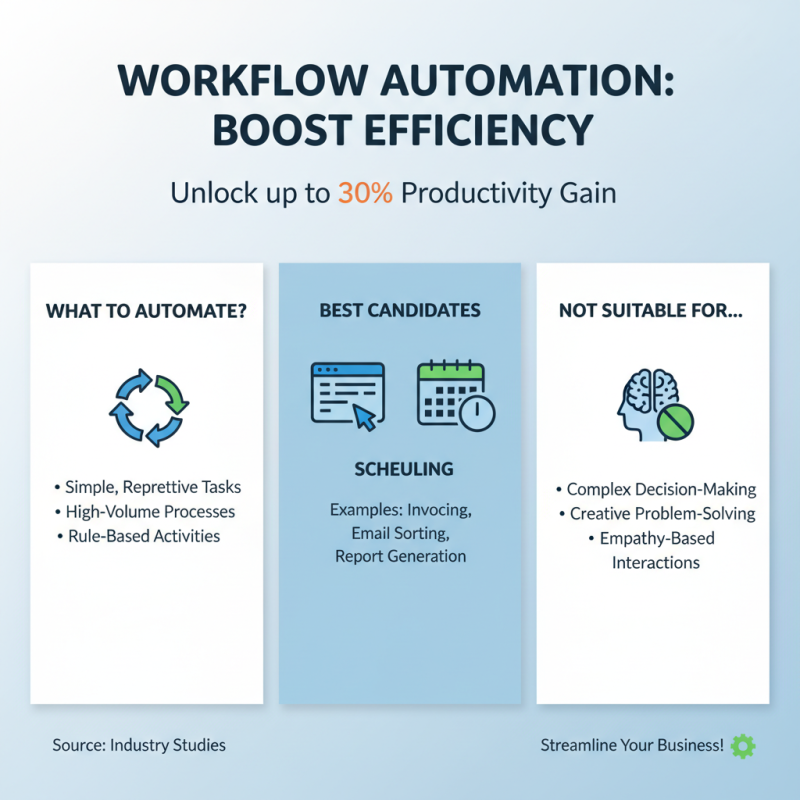
Identifying processes for automation in workflows can significantly boost efficiency. Studies show that automation can improve productivity by up to 30%. However, not every task is suitable for automation. Simple, repetitive tasks are the best candidates. For example, data entry and scheduling are prime for automation.
When assessing your workflow, start by listing tasks that consume excessive time. Look for areas where errors are frequent. Start small. Automate one task at a time. This approach limits disruption and allows for adjustments as needed. Many organizations report that automating report generation has freed up staff to focus on more strategic projects.
Another tip is to involve team members early. They understand the pain points of current processes. Their insights can highlight additional areas for automation. However, be cautious. Misidentifying tasks can lead to wasted resources. Regularly review the impact of automated processes. Continuous improvement is key to ensuring that your automation efforts remain effective in a rapidly changing environment.
Evaluating Automation Tools and Technologies for Your Needs
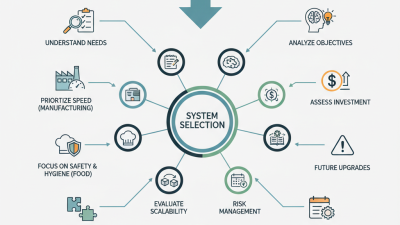
When assessing automation tools, it's vital to identify your specific needs. Begin by evaluating the tasks that require automation. Document current workflows, identifying bottlenecks and inefficiencies. This will give you a clearer picture of what tools might help. Not every automation tool fits every situation. Some may overcomplicate simple tasks, while others might lack essential features.
Consider ease of integration with your existing systems. A tool that fails to communicate with your current infrastructure may aggravate issues rather than solve them. Explore various options and gather reviews from peers in your industry. Look for firsthand experiences, but remember, one tool may not work for everyone. Reflect on what you genuinely require, prioritizing features that directly address your challenges.
Cost is another critical aspect. Sometimes, the most expensive option does not equate to the best results. Don't hesitate to trial different solutions, but track your outcomes. If a tool fails to deliver improvements, re-evaluating your choice may be necessary. Embrace the learning curve, recognizing that some automation efforts may yield mixed results, requiring adjustments.
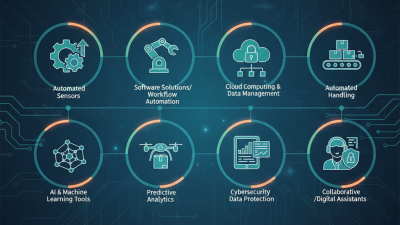
Efficiency Enhancement through Automation Technology
Integrating Automation Solutions with Existing Systems Seamlessly
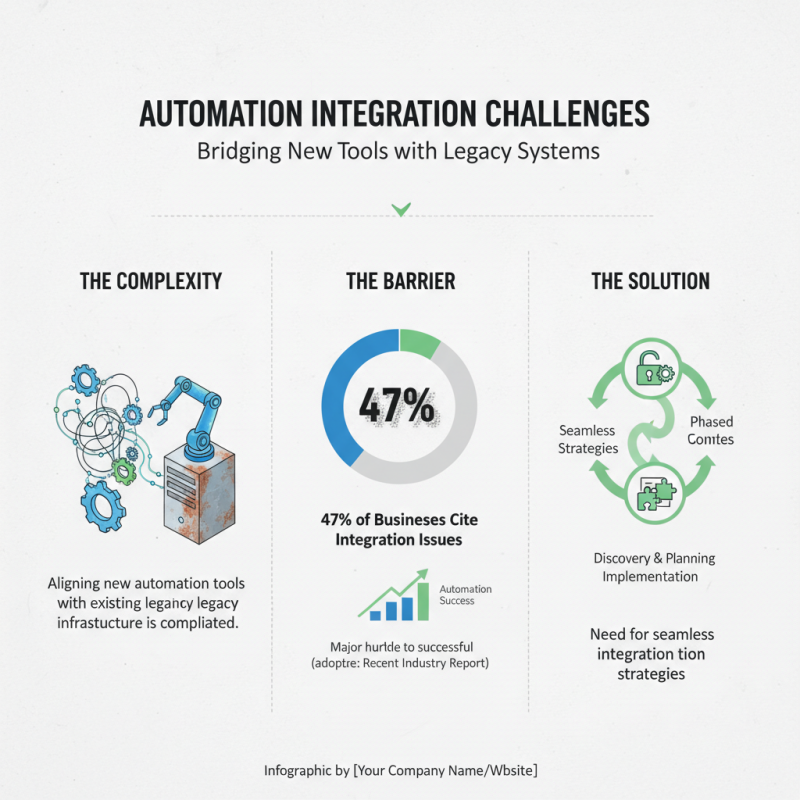
Integrating automation solutions into existing systems can be complex. Many organizations struggle to align new tools with legacy systems. According to a recent report, about 47% of businesses cite integration issues as a major barrier to automation success. This highlights the need for seamless integration strategies.
One effective approach is to map out the current workflow before introducing new technology. Understanding existing processes helps identify potential bottlenecks. Streamlining data flow is crucial. For example, automating data entry can save time. In fact, companies that successfully implement automation see a 30% reduction in operational costs. However, without proper integration, these gains can be short-lived.
Testing the integration between systems is essential. Pilot programs can uncover unforeseen challenges. Ensuring all systems communicate effectively minimizes disruption. Regular monitoring of performance metrics is also necessary. A study revealed that 60% of firms revising their automated systems found areas needing improvement after initial deployment. This reflection can be key to long-term success in automation.
Training Your Team to Embrace and Utilize Automation Effectively
Training your team is crucial for leveraging automation technology effectively. A recent study reveals that 70% of organizations struggle with employee adoption of new tech. Employees often fear changes in their roles. Hence, training must focus on alleviating these concerns. Workshops can foster hands-on experience. Encourage team members to experiment with automation tools in a safe environment.
Understanding automation's benefits is vital. According to industry data, organizations implementing automation see a 20% increase in productivity, on average. Visual aids like infographics can help simplify complex concepts. Engagement during training sessions also helps reinforce learning. Emphasizing real-world applications makes automation relatable. Yet, the journey isn't without challenges. Teams can feel overwhelmed by frequent updates or complex systems.
To mitigate these issues, provide ongoing support and collect feedback regularly. Encourage an open dialogue about challenges faced. Make adjustments based on this feedback. Continuous learning is key. Many companies overlook the importance of iterative training. Remember, building a confident, well-trained team requires time and patience. Mistakes should be viewed as opportunities for growth.
Monitoring and Measuring the Impact of Automation on Productivity
Automation technology can significantly impact productivity, but monitoring its effectiveness is crucial.
Tracking key performance indicators (KPIs) helps businesses understand productivity changes.
Gather data regularly to assess automation's impact. Are productivity gains as expected? Sometimes, results may not meet expectations.
Reflect on what adjustments might be necessary.
Consider implementing automated workflows to streamline processes. For instance, automating data entry can free up employee time. Dedicate monitoring ensures teams adapt to new tools.
Also, evaluate team feedback related to these tools. Employee insights can reveal challenges that data alone may not capture.
Occasionally, automation can introduce complexity. When workflows become convoluted, confusion can arise. Clear communication is vital.
Regularly revisit workflows and make sure they serve your needs. Inconsistent or unclear processes can hinder productivity rather than enhance it.
Balancing automation and human oversight is key to achieving optimal results.